
What Equipment Loadouts do
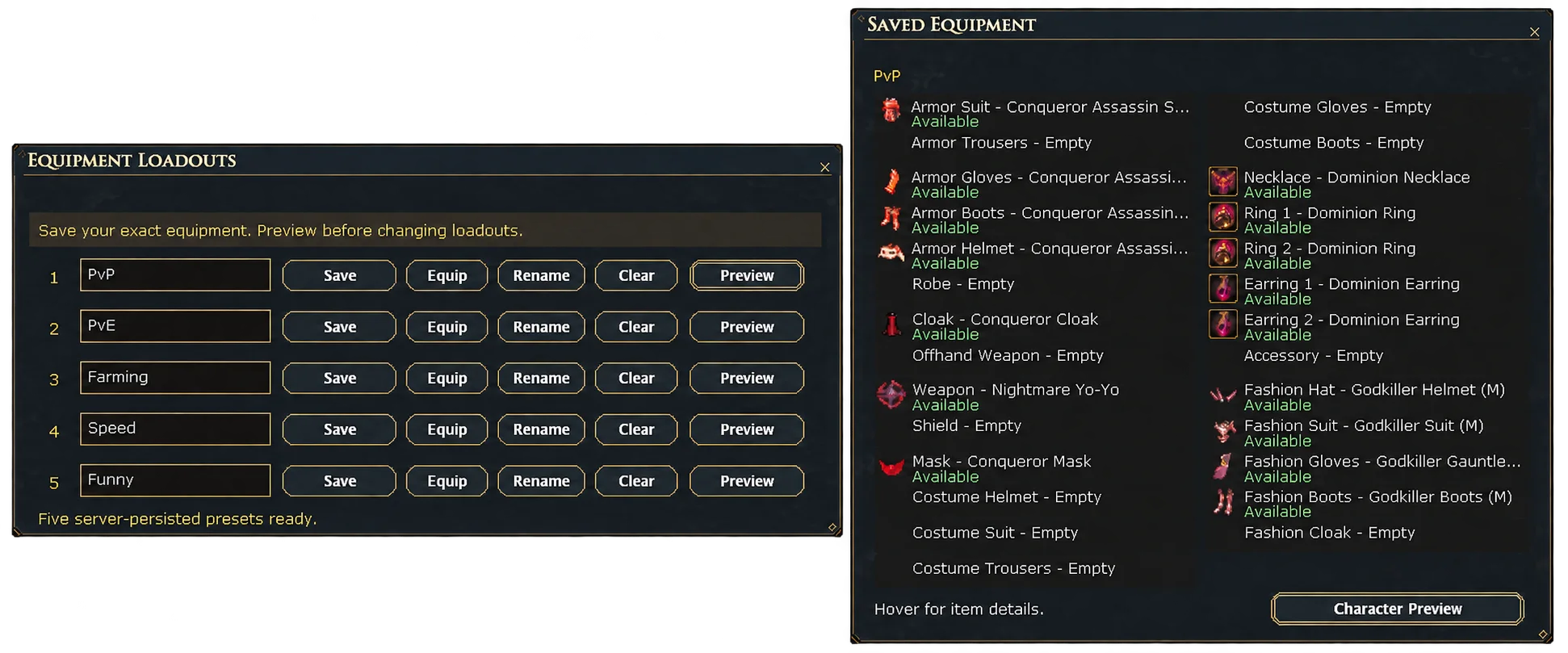
Equipment Loadouts save five named, server-persisted presets. Each one stores your exact equipped item instances — not just generic base items — so switching loadouts restores the specific pieces you saved, including their upgrade stage and Rarity.
How to access it
Open Equipment Loadouts from the main menu's Features submenu. Five numbered slots are available, each with its own name field.
Save, equip, and manage a slot
Save captures everything you currently have equipped into that slot. Equip swaps your character to the saved set. Preview shows what a slot contains without equipping it, Rename relabels the slot, and Clear empties it.
Limitations
Five loadout slots are available per character. A loadout remembers the exact item instances you saved; if one of those pieces is no longer available, its slot in the loadout reflects that rather than substituting a different item.