
What Auto Powerups does
Auto Powerups holds 12 persistent slots for timed buff consumables. Assign a buff once, and the panel keeps track of it so you are not digging through your inventory to reapply it every time it expires.
How to access it
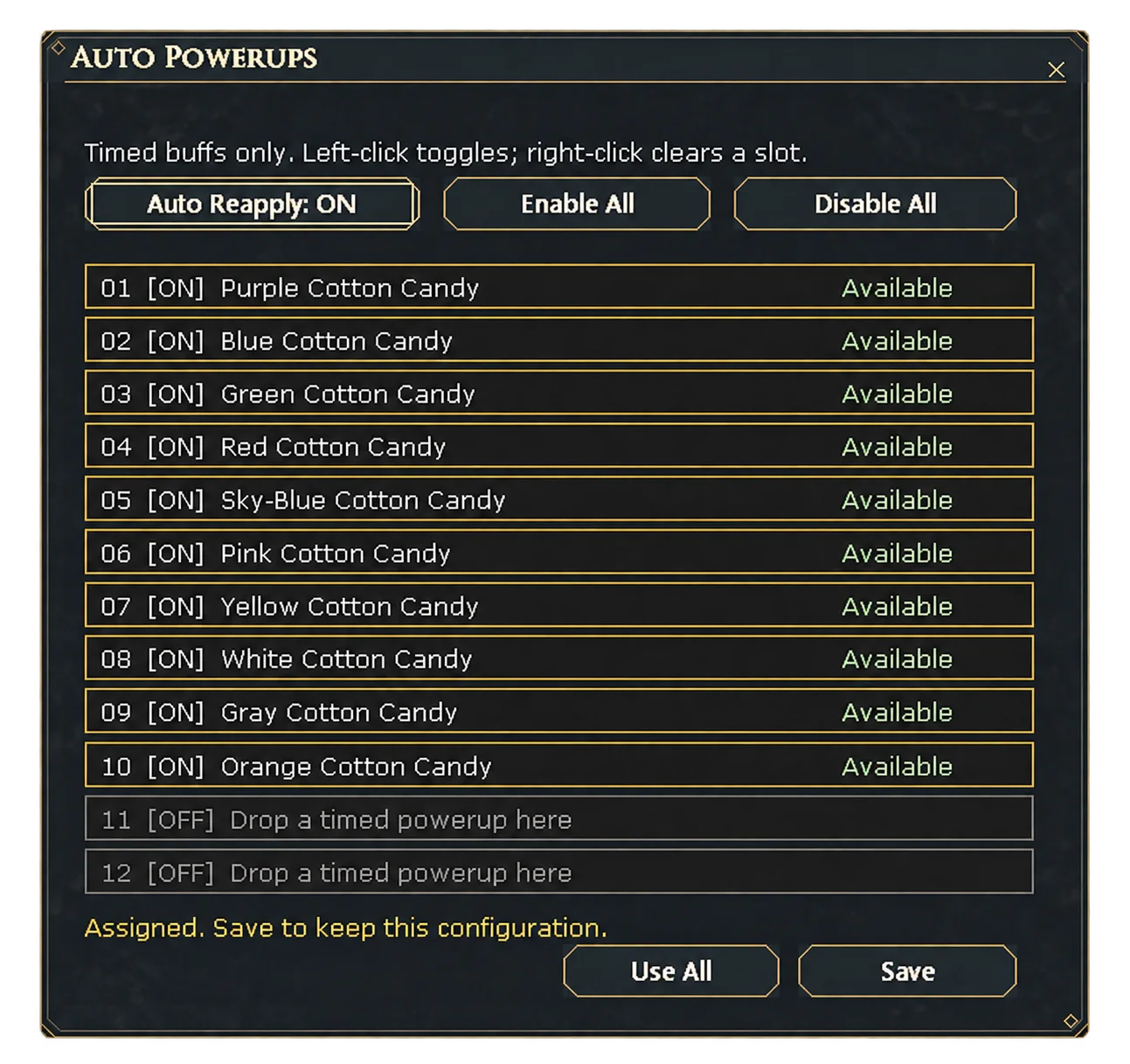
Open Auto Powerups from the main menu's Features submenu. Assigned slots show their buff, an ON/OFF toggle and whether the consumable is currently Available.
Assign, reapply, and manage slots
Left-click a slot to toggle it on or off; right-click clears it. Auto Reapply automatically reactivates an assigned buff when it runs out, so you don't have to notice it expiring. Enable All and Disable All flip every slot at once, and Use All fires every enabled slot immediately. Save keeps the current configuration.
Limitations
Twelve slots are available in total. A slot whose consumable has run out shows as unavailable rather than silently dropping from the list, so you can tell at a glance what needs restocking.